







PRODUCTIVITY DASHBOARDING

Manufacturing Productivity Dashboard to See Manual Work Live

NAGARE feeds a manufacturing productivity dashboard with data from the manual stations that machines cannot report on. Output, cycle times, stops and process adherence update live from video, so supervisors act during the shift and managers see the same numbers the floor sees.

Request a Walkthrough

Trusted by manufacturers for error-free manual operations

THE PROBLEM

Manual Stations Are the Blind Spot on Most Screens

Machine data flows into reports automatically. Manual stations rely on handwritten counts and end-of-shift entries, so the screen is accurate where it matters least and late where it matters most.

Numbers Arrive After the Shift

Counts typed in at the end of a shift explain what went wrong only when nothing can be done about it.

Totals Without Reasons

A red output figure shows a gap, not whether it came from waiting, rework or a slow method.

Different Sheets, Different Truths

Supervisors, engineers and managers each keep their own sheet, and meetings start by arguing about whose number is right.
The Solution

One Live View of Manual Work

Our AI process monitoring software, NAGARE™, can populate a manufacturing productivity dashboard with configured observations of output, cycle times, stops and process adherence. Agree which measures and clip links are available, how they are defined and which additional station or machine inputs they require. The productivity impact shown is a NAGARE product figure. A dashboard for a new line needs its own baseline and outcome review.

Live Figures From the Work Itself

  • Count output per station as units are completed
  • Show cycle times and stops through the shift
  • Track process adherence alongside output
  • Refresh continuously, not at shift end
Live
Updated through the shift
Per station
Output, cycles and stops
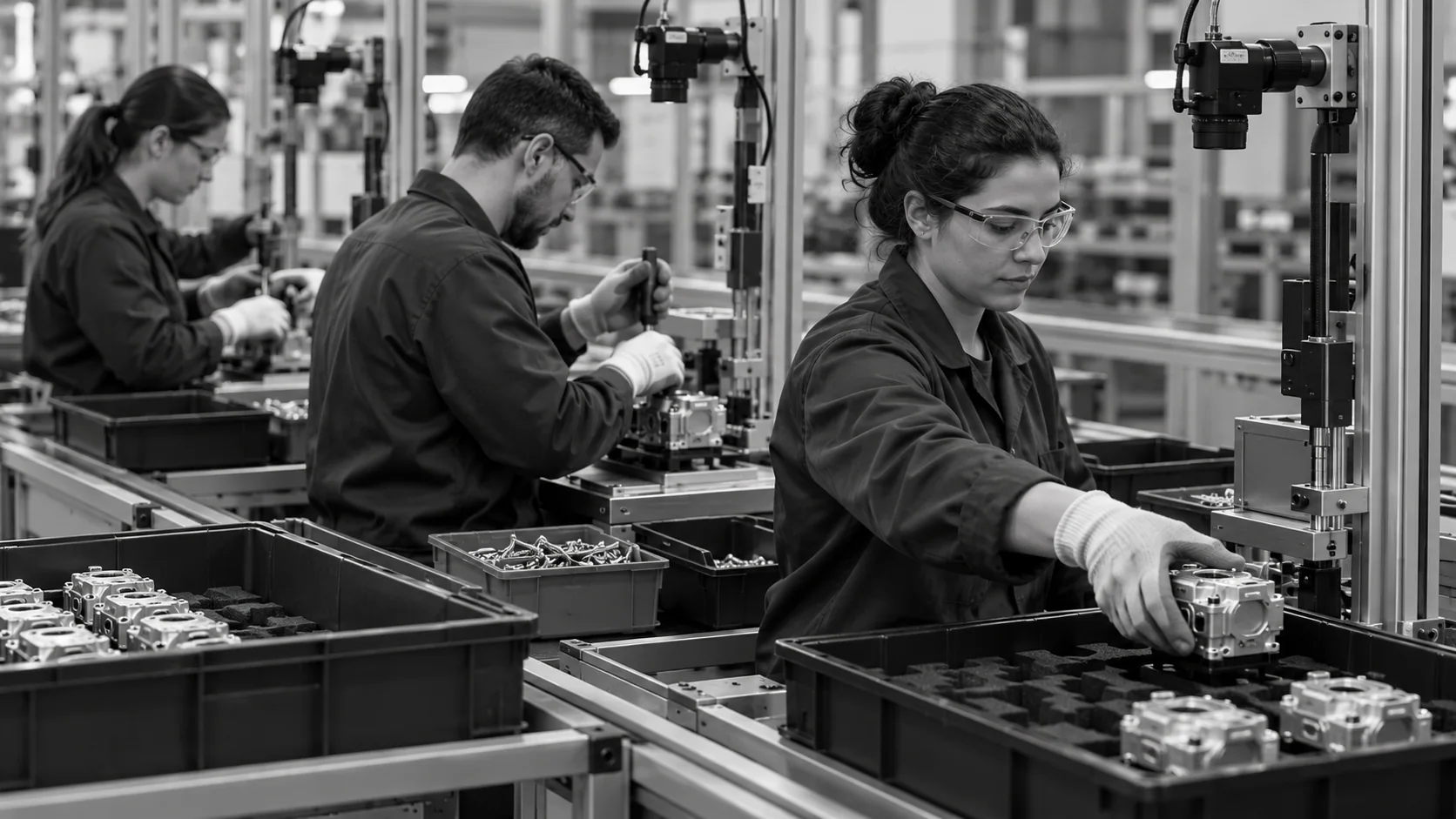
Conceptual illustration of camera-observed manual stations and physical unit flow through an assembly cell.

Every Number Has a Reason

  • Go from line to station to individual cycle
  • Open the clip behind any long cycle or stop
  • Give supervisors, engineers and managers their own views
  • Export shift and weekly summaries
Clip-backed
Figures you can verify
20%
Productivity impact
HOW IT WORKS

How the Live View Is Built From Video

A manufacturing productivity dashboard is only as good as its inputs. NAGARE measures manual work directly from station cameras and combines it with machine data where you have it.

Highlight #1

Measure at the Station

Cameras record output, cycle times, stops and adherence for each manual station, without manual entry.

Highlight #2

Combine With Machine Data

Where suitable machine interfaces and comparable event definitions are agreed, assess how those records can be combined with manual-station observations.

Highlight #3

Show the Right View to Each Role

Supervisors see the current shift, engineers see trends and causes, and managers see the line against plan.

Connect With Us

Send a list of the figures you report today and a video of one station. We will show what a live view would look like.

Get In Touch

Manufacturing Productivity Dashboard Options Compared

Each option shows numbers. They differ in how current those numbers are for manual work and whether you can see the reason behind them.

Dashboard need
Spreadsheets and whiteboards
Machine and MES screens
NAGARE AI
Manual station data
Typed in later
Depends on connected equipment and manual inputs
Measured from video
Update frequency
End of shift
Depends on the configured data sources
Live for every station
Reason behind a gap
Discussed in meetings
Machine state codes
Clip of the cycle or stop
Decision evidence
Decisions on old numbers
Decisions on partial numbers
Decisions on the full line
CUSTOMER SUCCESS

APA Engineering Sees Adherence and Productivity Live

At APA Engineering, NAGARE dashboards visualise process adherence and violations in real time, with productivity tracked across kitting stations and video traceability for every kit.

Official Jidoka case-study cover for APA Engineering kitting process monitoring
APA Engineering Sees Adherence and Productivity Live
Engineering

APA Engineering's published results cover its full kitting deployment, including the real-time dashboards.

  • Real-time dashboards for process adherence, violations and station productivity
  • 35% higher productivity and ROI in under one year

Frequently Asked Questions

Which figures belong on a line-level view?

Start with a small set that people will act on: output versus target, cycle time against standard, stops by cause and process adherence. An OEE trend is useful where machines dominate, but manual stations need their own measures. A focused screen gets read, while a crowded one gets ignored, so most plants begin with four or five figures and add more only when they are used. Each figure should have an owner who acts on it during the shift.

How is this different from a typical production dashboard?

Most production screens are fed by machines, MES postings or manual entry. That works for automated equipment but leaves manual stations estimated or late. Here the manual work is measured directly from station cameras, so assembly, kitting and packing stations appear with the same detail and freshness as the machines beside them, and the line can finally be seen as one system.

Should operators see their own figures?

Many plants show a station-level view on a wallboard or screen so the team can see output and stops through the shift. Individual figures are handled with care: an operator productivity dashboard works best for coaching and for learning from differences in method, not for ranking people. The rules for who sees what are agreed with the team before go-live, and they can be reviewed as trust in the data grows.

Can managers go from the line to a single cycle?

Agree the available drill-down views during the station demonstration. A useful review path moves from a line-level result to the relevant station, period and cycle or stop, with a clip where it has been retained and linked. That is a workflow requirement to confirm, not a promise of identical menus in every deployment. Check identifiers, timestamps, access and retention so the reviewer can investigate the figure using evidence that actually exists.

How does it handle plan versus actual?

The production plan or takt sets the target for each hour and shift, and measured output is shown against it as the shift runs. When a gap opens, the stops and long cycles behind it are listed beside the figure. Supervisors can then decide whether to rebalance, call support or accept the loss while there is still time in the shift to recover.

Do the figures follow a recognised standard?

Where definitions matter across sites, ISO 22400 provides a reference for key performance indicators in manufacturing operations management. Using standard definitions keeps figures comparable between lines and plants. Manual measures such as step time and adherence are defined with your team, so they mean the same thing on every screen and in every report.

What keeps the numbers current?

Station capture can reduce the delay of later manual entry, but freshness still depends on camera availability, processing, connections and the configured refresh interval. Define how stale data and missing observations are shown so an old value is not mistaken for current output. Agree the role-based views and the shift report or other summaries needed by each team, including which reports are generated and when. Demonstrate these views and updates before rollout.

What should we send to plan a manufacturing productivity dashboard?

Send the reports and screens you use today, the stations you most want to see, a short video of each and the targets you work to. Note which figures cause the most debate in meetings. With that, we can design the views, confirm camera positions and show a sample of the live screen before anything is rolled out.

CONNECT WITH OUR EXPERTS

Show Us the Numbers You Wish You Had Live

Share your current reports, the stations you care about and a short video of each. We will plan a manufacturing productivity dashboard for that line and explain timing and cost. A first line view is usually live inside 4 weeks.

Request a Walkthrough
Close video