

Show the Right Step for the Right Variant
- Load the agreed sequence for the selected part number or work order
- Highlight the next part and where it goes
- Prompt with images taken at your own station
- Adapt prompts for new and experienced operators
NAGARE supports guided assembly with prompts and camera checks for the selected variant. Configured visible actions are compared with the approved sequence, and the next step follows the agreed confirmation rule, so operators receive guidance while unconfirmed or ambiguous work can be reviewed at the station.
Screens and paper show operators what to do next, but nothing checks that they did it. On high-mix lines the gap between the instruction and the action is where wrong-order builds begin.
Our AI process monitoring software, NAGARE™, closes the loop on guided assembly by watching each step and confirming it before the next instruction appears. Operators get clear prompts, and supervisors get a record of every build.

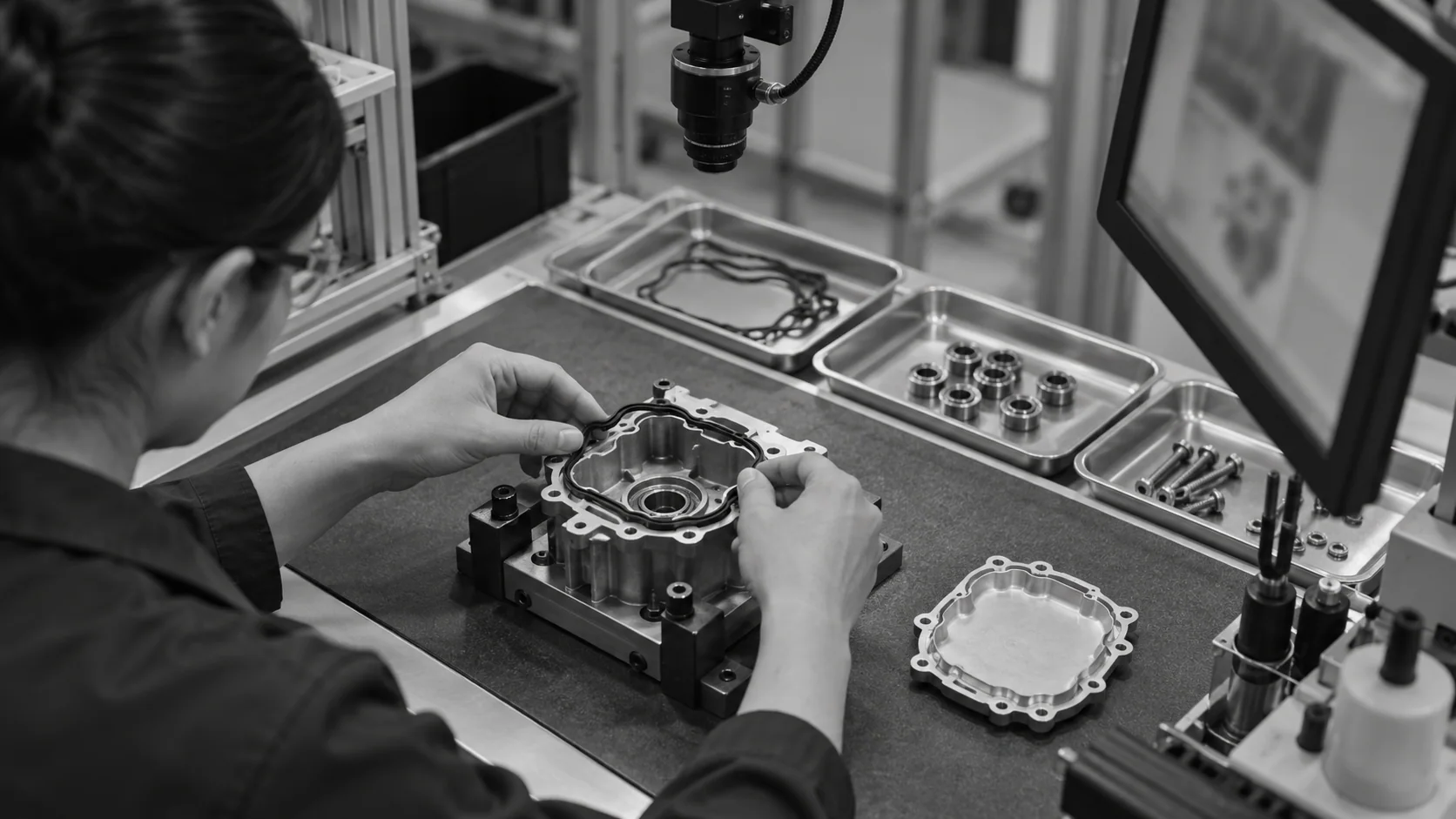
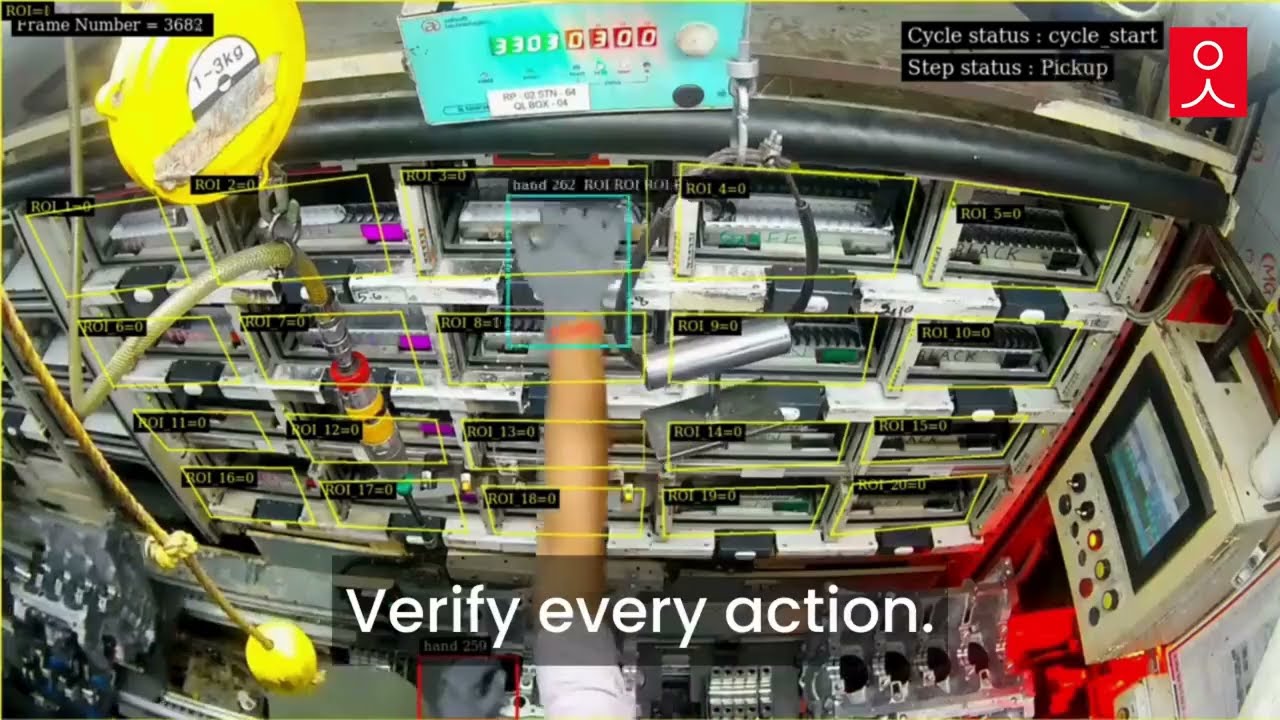
Guided assembly with NAGARE links three things: the approved sequence for each variant, a camera that sees the operator's hands and parts, and prompts that advance only when the work is confirmed.
Each variant's order, parts and fitting positions are set up once from your existing instructions and recorded cycles.
The operator sees the next step, the camera confirms the pick and the placement, and the prompt advances on its own.
Out-of-order or missed steps raise an alert at once. Step times and errors build a record for each variant and shift.
Send us the sequences for two variants and a video of the station. We will show how guided assembly would prompt and confirm each step.
Get In TouchEach option guides the operator. The difference is whether anything confirms that the step was actually done, and how fast a new variant is covered.
A guided assembly station combines instructions, part selection and confirmation in one place. Typical elements are a screen or projector for the next step, labelled bins or pick-to-light for selection, and a sensor or camera that confirms the work. NAGARE adds the confirmation layer with a camera, so the station knows the step happened rather than assuming it from a button press or a hand entering a bin.
Projection-based guidance shows the operator where to work by lighting the part or position on the bench, which helps new staff learn quickly. It does not, on its own, check what the operator did next. A camera adds that check, confirming the part and its position before the prompt moves forward. Many stations combine the two, using light to guide and vision to confirm, which is especially useful where parts look similar and positions sit close together.
High-mix assembly can benefit from variant-specific instructions because parts and order change with the model. The build order must be selected reliably for each unit, whether through an operator selection, scan or agreed work-order connection. Confirm that variant changeover loads the intended checks before production use. Coverage depends on the parts, camera view and validated workflows. Sharing a bench does not mean every new variant is covered without configuration or further training.
In a configured workflow, the next prompt can wait for the agreed confirmation. An out-of-order visible placement can raise an alert, and an assembly interlock can hold the unit where the site has implemented and validated that connection. Ambiguous views need review rather than being marked complete automatically. Confirm the timing at your production pace so guidance supports experienced operators without assuming that every action is visible or every hold can be cleared by repeating a step.
Assess the existing assembly guidance system during scoping. The required exchange may include a selected sequence, step confirmation or a signal to bin lights, but its availability depends on the interfaces and the agreed station design. Where NAGARE provides the operator screen, confirm which prompts and records it will show. A station with existing screens should have the complete workflow demonstrated before integration is assumed, including how unconfirmed steps and connection failures are handled.
A bin reach can be checked where the camera can distinguish the relevant reach, visible item and placement in the validated view. Entering the right bin alone does not prove the part is correct, particularly after a replenishment mistake. Map the layout and test look-alike parts, occlusions and changes before relying on the check. Review the prompts and camera coverage when the bench moves so an outdated bin map is not treated as current evidence.
Yes. On those lines the prompts and confirmations run inside the cycle without adding steps, and timings per step show where the operator is under pressure. On benches with longer cycles, the same approach guides many more steps per unit. In both cases the operator guidance system adapts to the work cell rather than forcing a new layout, and prompts can be shortened for experienced staff.
Send the assembly order for each variant made at the station, a short video of a normal cycle and photos of the part bins and fixtures. Tell us which mistakes reach the next station today and how often variants change. With that, we can design the prompts, camera view and confirmation points, and estimate how many variants can share a single setup.
Share sequences, a station video and the errors you find downstream. We will design guided assembly for that station and explain timing and cost. Typical NAGARE projects are running on the line in 4 weeks.