






PRINT QUALITY & MISPRINT INSPECTION

Print Quality Inspection
to Catch Misprints Before the Run Goes On

KOMPASS brings print quality inspection to every printed pack, label and container. AI models trained on your artwork find smudges, ink spots, missing print and discolouration, even on curved or reflective surfaces, and signal the line before defective print reaches the market.

Discuss Your Print Check

Trusted by manufacturers to improve quality on the line

THE PROBLEM

A Print Fault Starts Small and Repeats Thousands of Times

Presses, screens and coders repeat whatever they are doing. A smear, a dry nozzle or a damaged screen produces the same flaw on every pack until someone sees it.

Inspectors Cannot Keep Up

Checking print on every bottle or pack at line speed is beyond human attention. Fatigue lets flaws through and samples miss intermittent faults.

Reference Comparison Fails on Real Parts

Pixel-by-pixel comparison treats reflections and small position changes as defects. False rejects rise until the check is switched off.

Defective Print Reaches the Shelf

A smudged logo or illegible claim damages the brand and can make a pack non-compliant, long after the batch has left.
The Solution

Inspect Every Print the Way Your Quality Team Would

Our AI Product Inspection system, KOMPASS™, brings AI print quality inspection to packs, labels and containers, using models trained on your good and defective prints. Every result is passed to the line controls with an image of the print.

Find the Flaws That Matter, Ignore the Ones That Do Not

  • Train on good prints and real defects from your own line
  • Detect smudges, ink spots, streaks, voids and missing print
  • Ignore glare, small position changes and normal print variation
  • Classify defects by type so the cause is clear
Every print
Inspected, not sampled
Defect by type
Cause visible at a glance
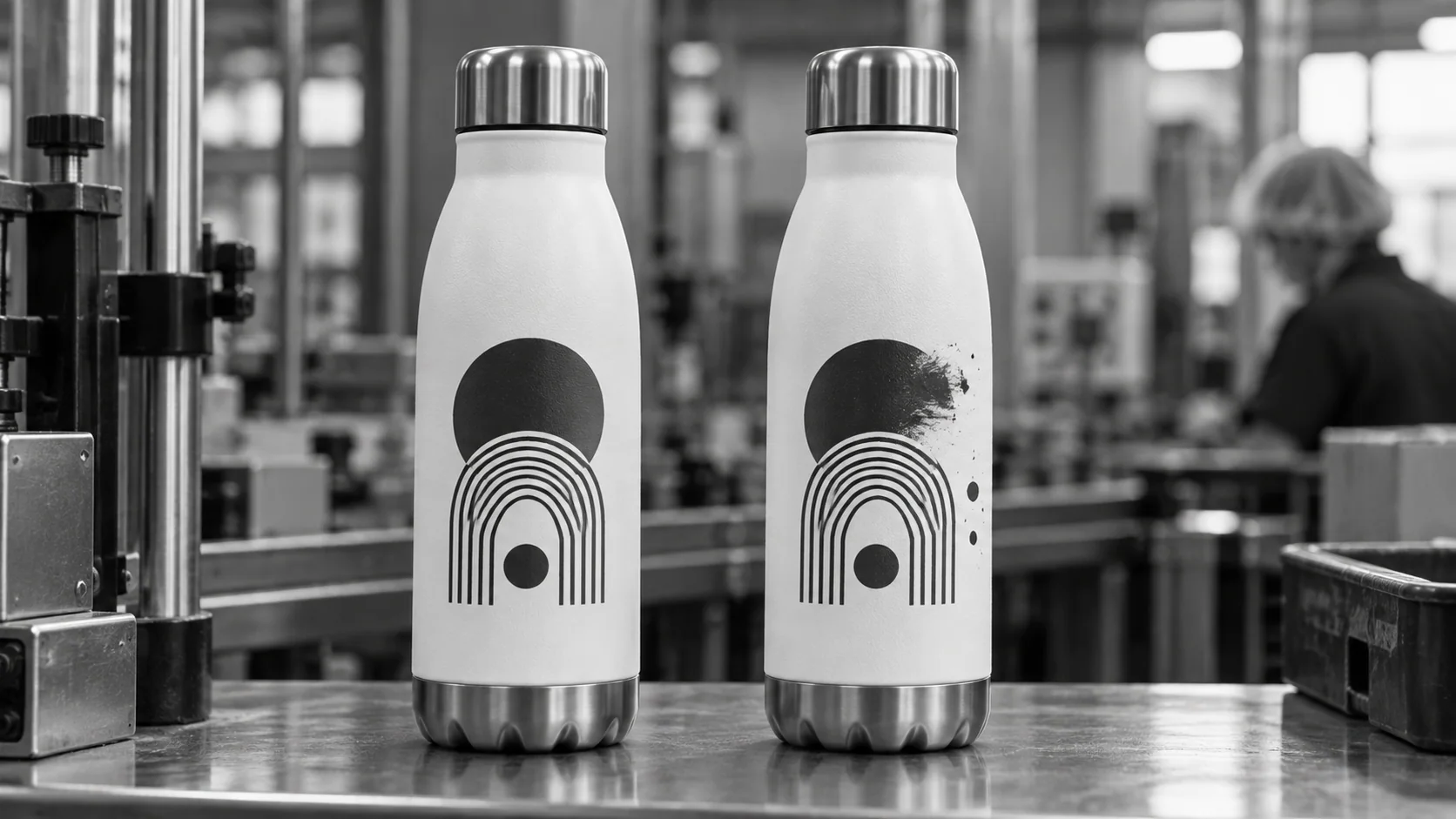
Conceptual illustration of a clear print motif beside a smeared motif on a bottle.

Cover the Whole Printed Surface

  • Rotate round containers for a full view of the print
  • Inspect flat packs, sleeves and labels from the views they need
  • Reject defective items automatically through the line controls
  • Store every result with its image for review
Full surface
Including curved print
Image evidence
Every rejection reviewable
HOW IT WORKS

See KOMPASS Inspect Screen-Printed Bottles

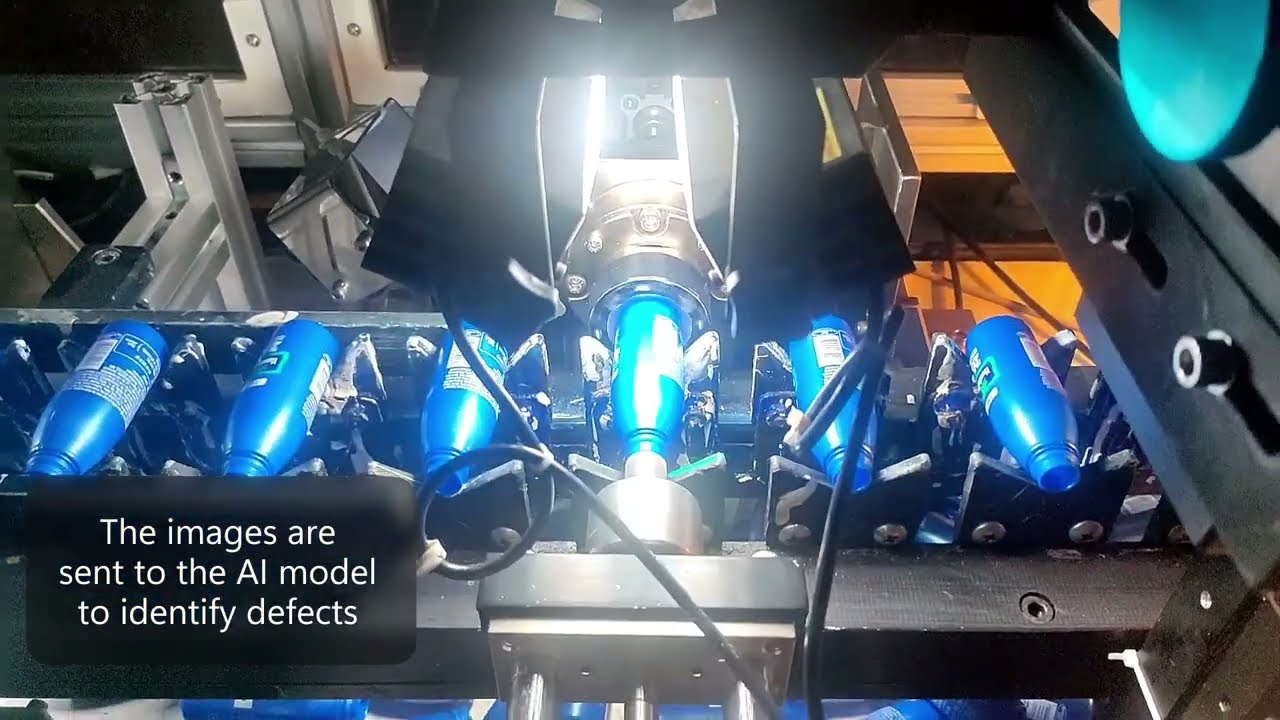
Jidoka's demonstration shows in-process print inspection after screen printing. Bottles are rotated 360 degrees for image capture, images are stitched for inference, and defects such as smudge marks, ink spots, print shift, discolouration and illegible text are identified.

Official video frame showing illuminated cameras around screen-printed bottles
Screen-printed bottle application: rotating capture and print-defect inspection. Print quality is demonstrated here; colour-layer registration is not.
Highlight #1

Capture the Whole Print

Round containers are rotated past the camera and flat packs are viewed directly. Lighting is set to keep reflections off the print.

Highlight #2

Classify Every Flaw

The model checks the full printed surface and classifies smudges, spots, streaks, missing print and discolouration against your standard.

Highlight #3

Reject and Record

Defective items are rejected, recurring defects point to the press or screen and every result is stored with its image.

Connect With Us

Send us good prints and examples of each defect you care about. We will assess the imaging and handling your print quality inspection needs.

Get In Touch

What Changes When Every Print Is Inspected by AI?

Every approach depends on a clear view of the print. The difference is how print quality inspection handles real variation and how many items it covers.

Inspection need
Manual inspection
Traditional machine vision
KOMPASS AI
Coverage
Samples at intervals
Every item, when conditions are stable
Every item, full printed surface
Reflections and position changes
Not a problem for people
Often flagged as defects
Trained to ignore normal variation
Subtle defects
Missed with fatigue
Missed if below a pixel threshold
Learned from real examples
First-Time-Right
Depends on attention at speed
Stable on simple, flat print
Stops defective print before it ships
CUSTOMER SUCCESS

Marico Stopped Misprinted Bottles Before They Reached the Market

Marico needed 360-degree print inspection on screen-printed bottles in under half a second per bottle. KOMPASS automated the check that manual inspectors could not sustain at volume.

Official Jidoka case-study cover for Marico screen-printed bottle inspection
Marico Stopped Misprinted Bottles Before They Reached the Market
FMCG

Marico's published results apply to its in-line print quality inspection of screen-printed bottles.

  • 99.7% real-time inspection accuracy
  • 120 bottles per minute with 360-degree coverage

Frequently Asked Questions

Which print flaws can it find?

Print quality inspection with KOMPASS finds the visual print defects your quality team cares about: smudge marks, ink spots, streaks, voids, missing print, discolouration and illegible text. Each defect type is learned from real examples on your products. Defects are classified separately, so you can apply different limits to a tiny spot in a background area and a smear across a brand name. The same station can also confirm that every expected print element is present.

Why does pixel comparison struggle?

Classic systems compare each image with a reference image of a good print and count differing pixels. Reflections, small position changes and normal print variation all create differences, so rejections of good product climb on glossy or curved items. An AI model trained on acceptable variation learns which differences matter, which keeps sensitivity to real defects without rejecting good product.

Can it inspect print on round bottles?

Yes. Round containers are rotated in front of the camera or captured by several cameras, and the images are combined into a full view of the print. This 360-degree inspection is what screen-printed bottles need, because a defect can sit anywhere around the circumference. Glass and plastic containers both work, with lighting adjusted for each. The full view also shows where on the bottle a defect sits, which helps trace its cause.

Which print methods does it cover?

It works on direct screen printing, pad printing, digital print, printed films and labels. Bottle decoration is a common application because a damaged screen or ink problem repeats on every bottle. The model is trained on the print methods and substrates you run, so the station knows what normal looks like for each. New products are added by training with examples rather than rewriting inspection rules.

How early can a misprint be caught?

As early as the station can see the print, ideally straight after the printing step. Misprint detection there limits how many items are affected before the press, screen or coder is corrected. Repeated failures can stop the line automatically, so a damaged screen is not left running for a full shift. Images of the first failures also show whether the fault is getting worse or staying stable.

How is good product protected from rejection?

By training on acceptable prints that include normal variation, by setting limits with your quality team and by validating on a labelled set before automatic rejection begins. Borderline items can go to a review lane at first. Tracking false rejects separately from missed defects shows whether the station needs more training or different lighting. Clear acceptance examples also help operators trust the station from the first week.

Can it tell which press or screen caused the defect?

The defect type and its position on the print often point to the cause, such as lines from one ink station or spots from a damaged screen area. Where lines have several printing heads, the station can tag each result with the head or station that printed it, so maintenance knows exactly where to look. That turns each rejection into useful information instead of just waste.

What should we send to plan print checks?

Send good prints and examples of each defect, your acceptance standard, the print methods and substrates, and the line speed. Tell us where the station can sit after printing and where rejects can go. With that, we can recommend imaging, handling and training for print defect detection on your line. Defect examples from different printing heads help the model learn which faults matter most.

CONNECT WITH OUR EXPERTS

Show Us the Print Defect You Want to Stop

Share good prints, defect examples, print methods and line speed. We will set up print quality inspection at the right point after printing and give you timing and cost. Deployment is typically 6 to 8 weeks.

Discuss Your Print Check
Close video