










BOTTLE & CONTAINER COUNTING

Bottle Counting
to Catch Short Cases Before They Ship

KOMPASS brings bottle counting to every crate, case and multipack as it leaves the packer. AI vision finds each container from above, flags empty slots and compares the count with the target for the running product, so short or overfilled packs are rejected before palletising.

Discuss Your Count Check

Trusted by manufacturers to improve quality on the line

THE PROBLEM

One Empty Slot Turns Into a Customer Complaint

Case packers and crate fillers run fast, and a single missed container is easy to overlook in a sea of caps. Without automated bottle counting, the pack looks full from a distance, but the customer counts.

Checkweighers Miss Light Containers

When containers vary in weight or the case is heavy, one missing bottle can sit inside the weight tolerance and pass.

Manual Counts Do Not Scale

Counting caps by eye on every case is impossible at line speed. Spot checks catch only some of the short packs.

Short Shipments Cost Twice

A short case leads to a credit note, a complaint and a trust problem with the customer, all for one container.
The Solution

Count Every Container in Every Pack

Our AI Product Inspection system, KOMPASS™, handles bottle counting with vision models trained on your packs, detecting each bottle or container and comparing the count with the target. Results reach the line controls with an image of every pack.

Detect Each Container From Above

  • Find every cap or container in crates, cases and multipacks
  • Flag empty slots and their position in the pack
  • Handle glare, shrink film and varying cap colours
  • Compare each count with the target for the running product
Every pack
Counted, not sampled
Slot position
Shown for every gap
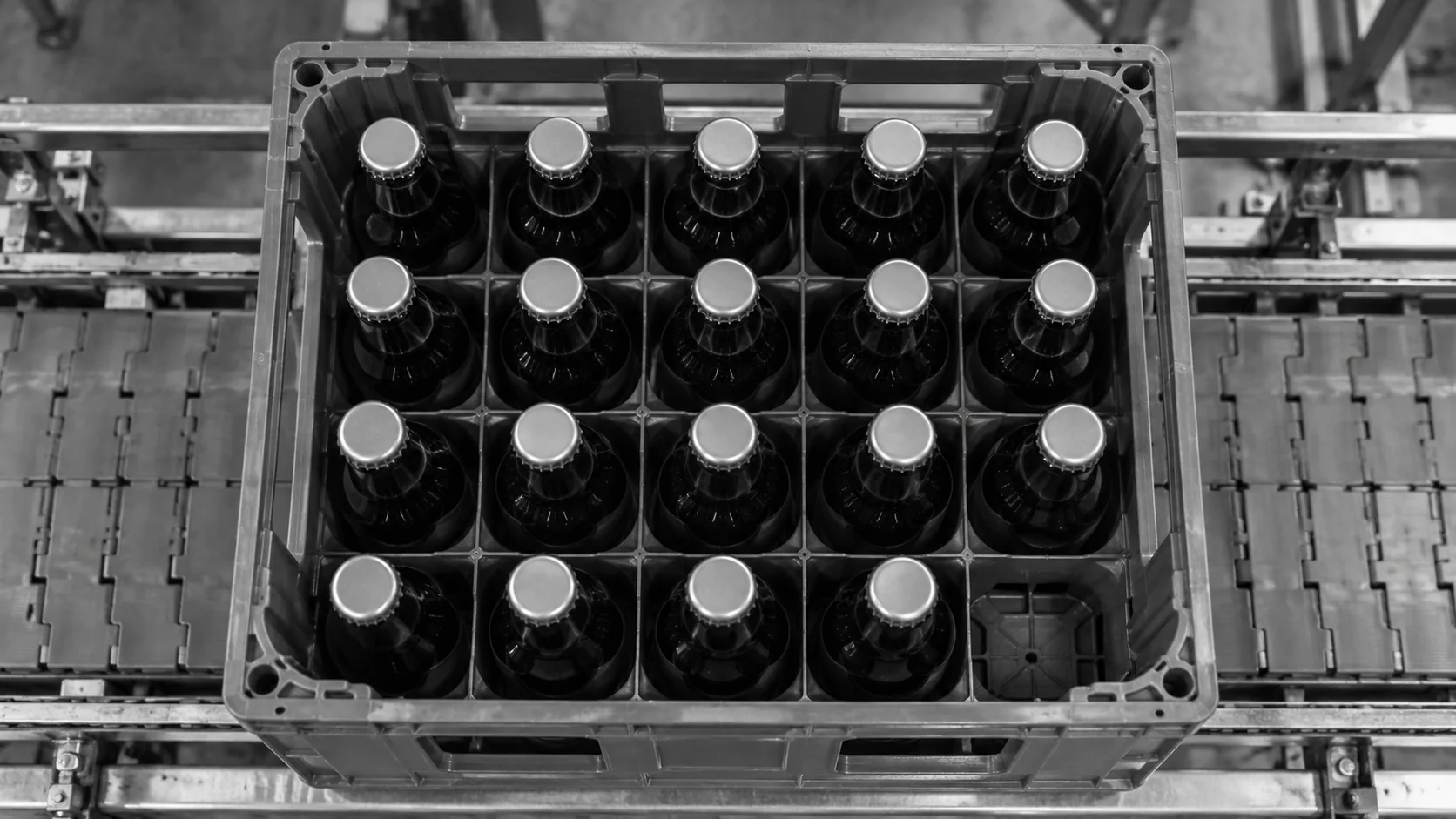
Conceptual illustration of a bottle crate with an empty compartment visible from above.

Stop Short Packs Before Palletising

  • Reject packs with missing or extra containers
  • Detect foreign objects and wrong containers in slots
  • Report bottle counting results by shift for production records
  • Store each failing pack image for review
Before the pallet
Short packs removed
Image evidence
Proof for every decision
HOW IT WORKS

From Packed Case to Count Decision

Bottle counting needs a clear view of every container and the right target for the product. KOMPASS combines both with models trained on your packs and a direct link to the reject.

Highlight #1

Capture Each Pack From Above

A camera over the outfeed captures every crate, case or multipack, with lighting set to control glare from caps and film.

Highlight #2

Detect and Count Each Container

The model finds each container, flags empty slots and foreign objects, then compares the count with the product's target.

Highlight #3

Reject and Record

Short or overfilled packs are rejected, counts are logged by shift and every failing pack image is stored.

Connect With Us

Send us images or samples of your full and short packs and your pack formats. We will assess camera position and lighting for bottle counting at your packer.

Get In Touch

What Changes When Every Pack Is Counted by Vision?

Each method has a place. The difference is whether bottle counting sees a single missing container directly.

Counting need
Manual counting
Weight-based counting
KOMPASS AI
One missing container
Missed at speed
Can sit inside weight tolerance
Seen directly as an empty slot
Wrong or foreign item
Noticed if someone looks
Passes if the weight matches
Detected in the slot
Coverage
Spot checks
Every pack
Every pack, with images
First-Time-Right
Depends on attention
Reliable when weights are consistent
Stops short packs before palletising

Frequently Asked Questions

How does camera-based counting work?

Bottle counting with vision looks at each pack from above and detects every cap or container top. The model is trained on your packs, so it recognises containers through glare, shrink film and different cap colours. The count is compared with the target for the running product, and any empty slots are marked with their position. The pack passes or is rejected in the same cycle, and its image is stored. Counts for every product are also logged, which supports shift and batch records.

Which pack formats can it count?

Beverage crates, open cases, trays, shrink-wrapped multipacks and cartons before closing are common formats. Containers can be glass or plastic bottles, cans, jars or tubs. The camera needs to see the top of each container, so cases are usually checked before the flaps close. Mixed formats on one line are handled by selecting the right target and layout for each product. Pack layouts are defined once per product, so changeovers load the right target automatically.

Why not rely on a checkweigher?

A checkweigher works well when container weights are consistent and light compared with the pack. When bottles vary in fill or glass weight, or the case itself is heavy, one missing bottle can fall inside the weight tolerance. Vision sees the empty slot directly, and many lines use both: weight for overall fill and vision for count and slot checks. Catching the gap at the packer keeps short-shipped cases away from customers.

Can it check returnable crates?

Yes. Returnable crates often come back with missing bottles, wrong bottle types or foreign objects in the slots. The camera checks every slot before refilling or after packing, so crates with gaps or wrong items are rejected. Crate colour, wear and stacking marks are included in training so they do not affect the count. Separate classes for gaps, wrong bottles and foreign objects show which problem is most common.

Where should the camera go?

Directly after the case packer or crate filler is usually best, so a short case is rejected before it is closed, wrapped and palletised. A top-down view over the outfeed conveyor sees every container top. Where cases are closed immediately, the check moves to the packer infeed or uses a view before the flaps fold. The position also needs space for a reject before the case reaches the palletiser.

What about stacked or tilted containers?

Double-stacked bottles, tilted containers and items lying on their side can confuse simple counting. The model is trained on these conditions so it flags them instead of counting them as normal. Where height matters, such as a container sitting on top of another, a 3D sensor can be added to confirm one container per slot. Separating these conditions from true gaps keeps the reject rate honest.

Can it count containers moving loose on a conveyor?

Yes. Conveyor counting of loose bottles or containers tracks each item as it passes the camera and adds it to the production count. That supports shift records and filler output monitoring. Each item is counted once even when containers touch or bunch together, because tracking follows it across several images. The same camera can flag containers missing a cap or label while it counts.

What should we send to plan pack counting?

Send images or samples of full and short packs, the pack formats and targets for each product, and the line speed. Tell us where the camera can sit and where rejects can go. With that, we can recommend camera position, lighting and integration for case count verification and container counting on your line. Short packs from real production are the most useful examples for training.

CONNECT WITH OUR EXPERTS

Show Us the Short Pack You Want to Stop

Share your pack formats, targets, line speed and examples of short packs. We will plan bottle counting at your packer and give you timing and cost. KOMPASS deployments typically complete in 6 to 8 weeks.

Discuss Your Count Check
Close video