








PRODUCT-TYPE DIFFERENTIATION

Product Mix-Up Detection
to Catch Wrong Items on the Line

KOMPASS brings product mix-up detection to every item on the line, identifying its product type from packaging, artwork and printed text. AI vision confirms each item matches the product being run or loaded, so look-alike variants are caught at changeover, packing and dispatch.

Discuss Your Product Check

Trusted by manufacturers to improve quality on the line

THE PROBLEM

The Wrong Product Looks Almost Exactly Like the Right One

Flavours, strengths and sizes often share packaging with only a colour band or a word to tell them apart. On a fast line, one stray item from the last run is easy to miss.

Leftovers Survive Changeover

A few items from the previous product stay on the line or in a buffer and end up packed with the new run.

Barcodes Are Not Always There

Many items carry no readable code at the point where mix-ups happen, and inner packs rarely show one at all.

Manual Checks Miss Small Differences

A slightly different colour band or text line is hard to spot after hours of identical-looking packs.
The Solution

Recognise Every Item From Its Packaging

Our AI Product Inspection system, KOMPASS™, performs product mix-up detection with AI models trained on your products, recognising each item from artwork, colours, shape and text and checking it against the product that should be running. Each identification is stored with an image of the item.

Tell Look-Alike Products Apart

  • Recognise variants from artwork, colour bands, shape and text
  • Read printed product names and codes where present
  • Work without relying on a barcode
  • Learn new products from a short set of examples
Every item
Identified, not assumed
No barcode needed
Identified from the pack itself
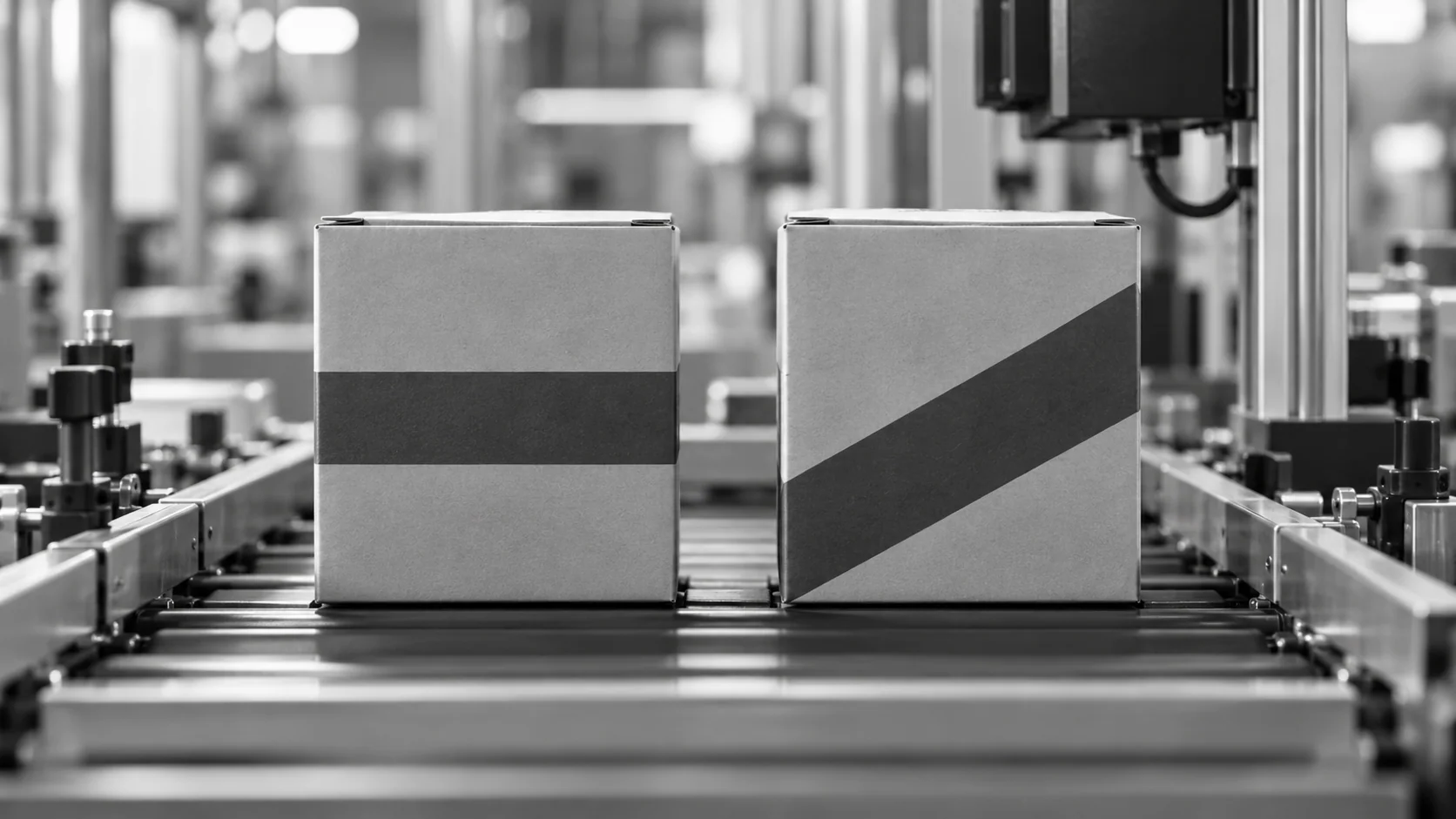
Conceptual illustration of similar cartons with different geometric bands.

Confirm Each Item Belongs to the Run

  • Compare each item with the active product or loading order
  • Reject or stop on a wrong item
  • Count items by product type for records
  • Store every result with its image
Active order
The reference for every item
Counts by type
Automatic records
HOW IT WORKS

See KOMPASS Identify SKUs During Loading

Jidoka's demonstration shows KOMPASS using custom AI OCR and OCV models to read printed text and artwork, so warehouse and logistics teams can identify SKUs, keep accurate records and remove the need for constant manual supervision.

Official video frame showing a packaged-product identification station beside its software display
Warehouse SKU-identification application: KOMPASS recognises products from printed text and artwork during loading. This is product identification, not size grading.
Highlight #1

Capture Each Item

A camera captures every item on the conveyor or at the loading point, with lighting set for the packaging.

Highlight #2

Recognise the Product Type

The model identifies each item from its artwork, colours, shape and printed text, then compares it with the active order.

Highlight #3

Act and Record

Wrong items are rejected or stop the line, counts by product are logged and every result is stored with its image.

Connect With Us

Send us examples of the products you run, especially look-alike variants, and where mix-ups happen. We will assess views and training needs.

Get In Touch

What Changes When Every Item Is Identified by Vision?

Each method helps. The difference is whether product mix-up detection works on items without a readable code.

Identification need
Manual checks
Barcode scanning
KOMPASS AI
Items without a code
Judged by eye
Cannot identify
Identified from artwork and text
Look-alike variants
Missed with fatigue
Fine when codes differ and are visible
Recognised from visual differences
Coverage
Spot checks
Every scanned item
Every item in view
First-Time-Right
Depends on attention at changeover
Depends on code visibility
Stops wrong items before packing or loading

Frequently Asked Questions

How does vision know which product an item is?

Product mix-up detection with KOMPASS recognises each item from what is visible on its packaging: artwork, colour bands, shape, size and printed text. The model is trained on examples of every product you run, so it learns the packaging cues that separate them. The identified type is compared with the product that should be running, and any mismatch is flagged immediately. This artwork recognition works even when two products differ only in a small colour band.

Does it need a barcode?

No. Barcode-free identification is useful where codes are missing, hidden or not readable at the inspection point, such as inner packs, bare products or items facing the wrong way. Where a code is visible, it can be read as well, and the station can check that the code and the visual identity agree, which catches mislabelled items too. That combination is especially useful on lines that pack several brands.

Where do mix-ups usually happen?

Most happen at product changeover, when items from the previous run stay on conveyors, in buffers or in feeders. Others happen when mixed products from two lines merge, when returns are reworked or when look-alike variants share packaging stock. Checking every item after these points catches the stray item before it is packed with the wrong run. Knowing the usual entry points tells you where the camera adds most value.

Can it back up clearance between runs?

Yes. Line clearance procedures confirm that no items from the previous product remain before a new run starts. A vision check on the first items of the new run, and on every item after that, confirms the clearance worked. It does not replace the physical clearance, but it catches the items a clearance missed. The record also gives auditors evidence that each product switch was confirmed.

How are new products added?

New products are added by training with a short set of images of the new item, then validating that it is not confused with similar products. The variant recipe for each run tells the station which product to expect. When packaging artwork changes, the model is retrained with images of the new design. Similar products are tested against each other during validation so confusions are found early.

Can it identify products at dispatch?

Yes. During consignment loading, cameras can identify each case or item as it is loaded and match it with the dispatch order. That supports accurate records and catches wrong products before they leave, as shown in Jidoka's SKU identification demonstration. The same approach works at palletising and order picking points. Counts by product type also feed dispatch records automatically.

What happens when a wrong item is found?

The station sends the configured response: a reject for a single stray item or a line stop if several wrong items appear in a row. Each result is stored with the image and the expected product. That record shows where the mix-up entered, which helps fix the cause, such as a buffer that was not emptied between runs. Wrong product detection is most useful when the response is fast, so the reaction is set per line.

What should we send to plan product checks?

Send examples of every product you run, especially similar variants, along with where mix-ups have happened and how product orders are managed on the line. Add your line speed and the point where a wrong item can be removed. With that, we can recommend camera views, training and integration for product mix-up detection and product recognition on your line. Pairs of look-alike products are the most useful samples, because they set the hardest distinction.

CONNECT WITH OUR EXPERTS

Show Us the Mix-Up You Want to Prevent

Share your products, look-alike variants, where mix-ups happen and line speed. We will plan product mix-up detection at your line or dispatch point and explain timing and cost. KOMPASS deployments usually need 6 to 8 weeks.

Discuss Your Product Check
Close video